
A project can begin with a friendly call and still go wrong. A client may picture a bold campaign while your team imagines a quiet, simple design. One person may approve the work while another person changes it later. These gaps create rework, delays, and frustration.
A strong client onboarding questionnaire brings those hidden details into the open. It helps you learn what the client wants, how success will be measured, who makes decisions, and what limits the work. It cannot promise zero revisions. It can, however, reduce avoidable revision rounds and give your team a clearer path from first contact to final approval.
What the Top Client Onboarding Questionnaire Pages Do Well
The leading pages serve a clear informational purpose. They explain what to ask a new client and how to collect the answers. Their commercial value comes from connecting that advice to a better onboarding process.
Content Snare: a tool-led next step
Content Snare appears designed for agencies and service providers who need information, files, and approvals from clients. Its likely primary goal is to sell an online service. The CTA format is usually a prominent button or trial invitation. It is placed near the beginning, inside the workflow explanation, and again near the end.
The tone is direct but useful. The desired action is registration or starting a trial. This works because the visitor has a clear operational problem and can see how a dedicated tool may solve it.
HubSpot: education that creates leads
HubSpot’s article supports a wider business audience. Its primary goal is to inform while generating leads for templates, CRM tools, and service resources. CTAs may include a downloadable resource, a product link, or an invitation to explore a related platform.
These offers fit readers at different stages. A cold visitor can read the guide or download a resource. A warm visitor can explore a tool. The tone remains educational, which lowers resistance.
Rock: collaborative workspace positioning
Rock’s page connects onboarding questions with shared workspaces and team communication. Its primary goal is product consideration and registration. The likely CTA is a free-start or workspace invitation placed after the reader understands the collaboration problem.
This approach aligns with agencies and small teams. The reader is not only collecting answers. The reader is also looking for a place to organize those answers, tasks, files, and conversations.
Patterns worth using
- Each page answers the practical question before asking for action.
- The product or resource is connected to a visible workflow problem.
- Buttons use clear verbs and avoid vague wording.
- CTAs appear more than once on long pages, but not in every paragraph.
- The offer fits the buyer stage: template for cold readers, tool for warm readers.

See the practical next step
A questionnaire works best when your client can complete it, attach files, and answer follow-up questions in one clear process.
What Is a Client Onboarding Questionnaire?
A client onboarding questionnaire is a structured intake form used after a client agrees to work with you or becomes a serious prospect. It gathers the information your team needs before planning, designing, writing, building, or delivering a service.
It is more than a list of random questions. A useful questionnaire follows the client onboarding process. It starts with context, moves into goals and scope, then covers decisions, deadlines, access, budget, and feedback.
Where it fits in client onboarding
- Sales confirms that the service is a good fit.
- The questionnaire collects project information.
- You review the answers and identify missing details.
- You hold a short meeting to confirm priorities.
- You turn the answers into a project brief and scope of work.
- The client approves the plan before production starts.
This order protects both sides. The client gets a chance to explain the business and desired result. Your team gets a record of the expectations that shape the work.

11 Essential Sections Your Onboarding Questionnaire Should Include
A complete questionnaire does not need to feel long. It needs to ask the right questions in a logical order. Use conditional fields when possible. For example, a developer may need technical access questions, while a copywriter may not.
1. Client and business background
Ask what the business does, who it serves, and why the project matters now. Request the website, main offer, location, and primary contact.
- What does your business sell or provide?
- Who is your main customer?
- What problem does your business solve?
- Who is the primary contact for this project?
2. Project goals and desired outcomes
Turn broad hopes into measurable goals. Ask what should change after the work is complete.
- What result should this project create?
- Which business goal does it support?
- How will you decide that the project succeeded?
- What would make this work feel valuable six months from now?
3. Target audience
Do not rely on labels such as “everyone” or “small businesses.” Ask about the audience’s needs, concerns, habits, and buying decision.
- Who should notice or use this work first?
- What problem is that audience trying to solve?
- What might stop them from taking action?
4. Brand identity, voice, and visual preferences
Find out how the client wants to sound and look. Ask for brand guidelines, colors, fonts, image rules, and examples.
- Choose three words that describe your brand voice.
- Which words or styles should we avoid?
- Which visual examples feel close to your preferred direction?
5. Scope, deliverables, and success criteria
List what is included and what is not included. Define the number, format, size, and purpose of each deliverable.
- Which deliverables do you expect to receive?
- Where will each deliverable be used?
- What is outside the current project scope?
6. Competitors and examples
Examples reveal preferences that adjectives cannot. Ask what the client likes, dislikes, and wants to avoid copying.
- Which competitors should we review?
- What do you like about each example?
- What should our work do differently?
7. Required content, features, and technical specifications
Ask for required pages, integrations, systems, content, formats, accessibility needs, and platform limits.
- Which features are required for launch?
- Which tools or platforms must the project connect with?
- Who will supply content, images, data, or account access?
8. Timeline, milestones, approvals, and decision-makers
A target date is not enough. Ask for launch deadlines, review windows, approval stages, and the final decision-maker.
- What date must the project be ready?
- Are there events, campaigns, or legal dates we must consider?
- Who can approve the work?
9. Budget and constraints
A budget helps you recommend the right level of service. Also ask about legal, technical, staffing, or brand limits.
- What budget range has been approved?
- Which costs are separate from our service?
- What limits could affect timing or delivery?
10. Feedback and revision preferences
Explain how feedback will work before work begins. Ask who will collect comments and how many review rounds the client expects.
- Who will combine feedback from the team?
- How should comments be submitted?
- What does an acceptable revision request include?
11. File, access, and communication requirements
Collect the practical details that often delay a project. Confirm file types, passwords, shared folders, meeting preferences, and response times.
- Which files or accounts can you provide today?
- What communication channel should we use?
- How quickly can the client team usually reply?
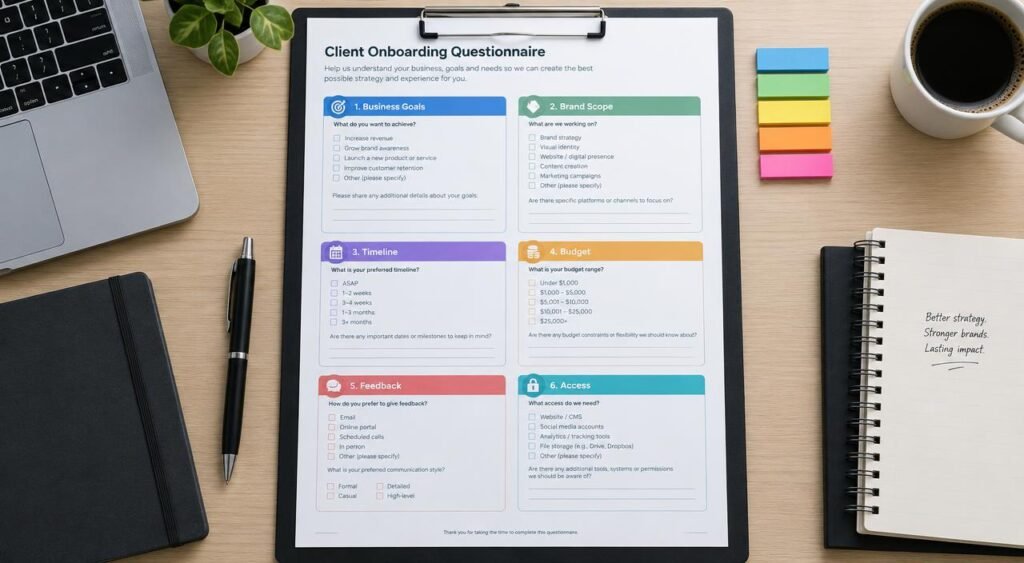
A Ready-to-Use Client Onboarding Questionnaire Template
Copy these questions into your form, then remove anything that does not apply to your service. The best onboarding questionnaire feels relevant to the client’s project.
Client and business information
- What is your company name and website?
- What product or service is most important to this project?
- What should a new customer understand within the first minute?
- Who is our primary contact?
Goals and audience
- What is the main goal of this project?
- What action should the target audience take?
- What customer question or concern must the work answer?
- Which result will you use to judge success?
Brand and creative direction
- How should the brand sound?
- Which colors, images, words, or styles should we use?
- Which examples do you like, and what do you like about them?
- Which examples should we avoid?
Scope and requirements
- What must be included in the final deliverables?
- What formats and sizes are required?
- Which content, tools, or integrations are already available?
- What is not part of this project?
Timeline and approval
- What is the desired launch date?
- What milestones should we plan?
- Who gives day-to-day feedback?
- Who gives final approval?
Budget, feedback, and communication
- What budget range should guide our recommendations?
- How many review rounds do you expect?
- Where should feedback be recorded?
- Which communication channel should we use for urgent questions?
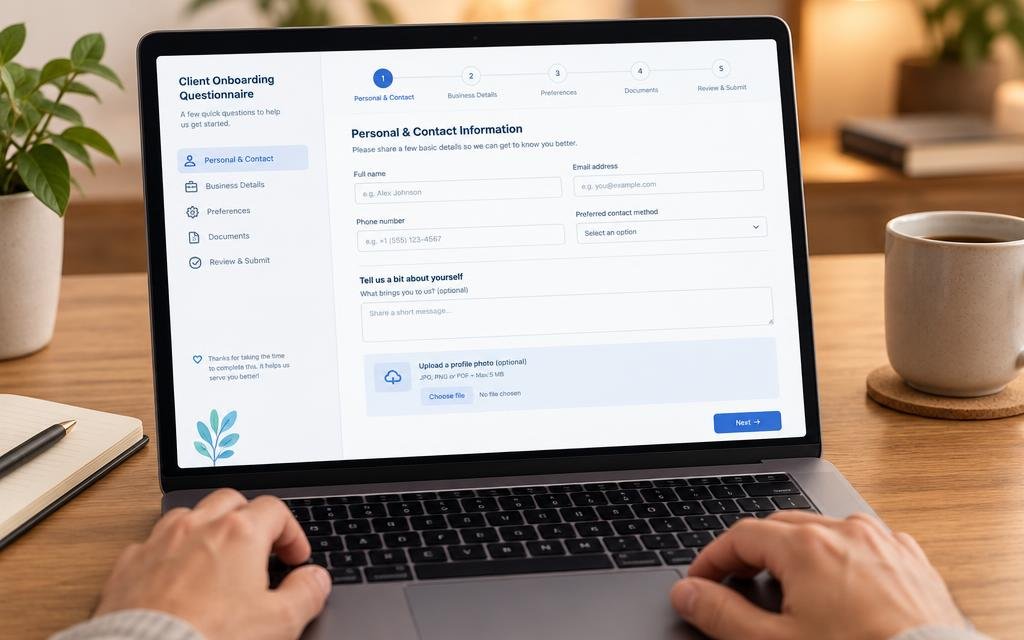
Turn the template into a working form
Start with the questions above, then give your new client one simple place to submit answers, files, and important project details.
Weak Questions Versus Stronger Questions
Weak questions invite short, unclear answers. Strong questions provide context, limits, and a clear reason for answering. They help the client think and help your team act.
| Weak question | Stronger question | Why it works |
| Tell us about your audience. | Who is most likely to buy first, and what problem are they trying to solve? | It asks for a buyer and a need. |
| What style do you want? | Which two examples match your preferred style, and what should we borrow from each? | It turns a vague preference into evidence. |
| When do you need it? | What date must the work launch, and what event makes that date important? | It reveals the real deadline. |
| Do you have content? | Which copy, images, data, and files are ready, and who will provide anything missing? | It identifies ownership and gaps. |
| Any other comments? | What concern could cause you to reject the first version? | It invites useful risk information. |
Use a mix of question types
- Use short text fields for names, links, and simple facts.
- Use long text fields for goals, concerns, and creative reasoning.
- Use multiple choice for repeatable options and faster completion.
- Use file uploads for brand guides, examples, content, and technical documents.
- Use required fields only when the answer is needed to begin the work.

Turn Questionnaire Answers Into a Project Brief
The questionnaire is not the final project plan. It is source information. Your next job is to interpret the answers and create a short project brief that the client can approve.
Summarize the business problem
Write two or three sentences about the client, audience, and reason for the project. Use plain language. If the client cannot recognize the business problem in your summary, ask for clarification.
Separate goals from preferences
A goal is the result the work must support. A preference is a choice about style, format, or process. Both matter, but goals should guide decisions when preferences conflict.
List deliverables and exclusions
Convert broad requests into visible outputs. For example, “social media support” could mean a strategy, a content calendar, ten image posts, or daily community management. Name the exact service, quantity, and format.
Record assumptions and open questions
Mark every answer that needs confirmation. Do not quietly guess. A short list of open questions is safer than a polished brief built on an incorrect assumption.
Create the scope of work
The scope of work should include deliverables, timing, responsibilities, price, payment terms, revision limits, and approval rules. Link each part back to the questionnaire where useful.
Build an approval process
- Send the project brief to the client.
- Ask the primary contact to confirm corrections.
- Confirm who has final approval authority.
- Set the review date and feedback channel.
- Begin production only after the important details are approved.

How to Increase Questionnaire Completion Rates
A long form can still deliver a good client experience if it feels focused. The client should understand why the questions matter and how much time the form will take.
Explain the purpose before the form
Use a short welcome message. Tell the client that their answers will help your team prepare, reduce back-and-forth, and create work that fits the business.
Keep every question relevant
Remove questions that do not change a decision. If you serve several services, use conditional logic or create separate forms. A developer and a social media consultant do not need identical intake questions.
Use a logical order
Start with easy facts. Move to business goals, audience, creative direction, scope, timing, and access. This order helps the client build an answer in the same way you build the project plan.
Allow detailed answers without forcing them
Use a large text area for complex topics. Add examples below the field. Keep required fields limited to information you need before the first meeting.
Make the form easy to pause
Some clients need to gather files or ask their team for information. A form that saves progress can reduce abandonment and improve the onboarding experience.
Review answers with the client
Never assume that a submitted form means complete agreement. Discuss important answers in an onboarding meeting. Repeat the goals, scope, deadline, and approval path before work begins.
Send a clear confirmation
Tell the client what happens next. Include the expected review date, missing information, and the name of the person who will contact them. A clear next step builds trust.
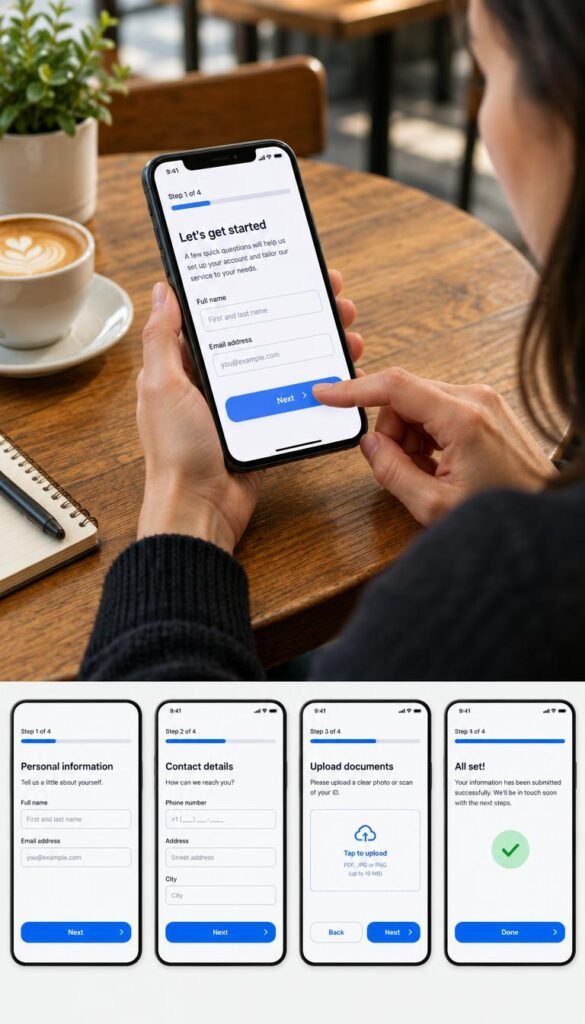
Build CTAs That Match Search Intent and Buyer Readiness
People searching for a client onboarding questionnaire usually want help now. They may need questions to copy, a form to send, or a tool to manage the answers. Your CTA should respect that intent.
CTA for cold readers: offer a useful resource
A cold visitor is not ready to buy a large service. Offer a template, checklist, or example form. Ask for only the information needed to deliver it. Use a calm button such as “Get the questionnaire template.”
CTA for warm readers: offer a workflow tool
A warm reader has a repeated process and feels the cost of manual follow-up. Show how an online service can collect files, assign tasks, and keep communication in one place. Use a button such as “Start your client intake.”
CTA for high-intent readers: offer a request or review
Some readers already know that their process is broken. They may want help customizing the form, connecting tools, or training their team. Offer an application or short request form.
Cold visitor
Needs a clear starting point and proof that the advice is practical.
- Offer: template or checklist
- Tone: helpful and neutral
- Button: Get the template
Warm visitor
Needs a faster way to collect answers and manage client work.
- Offer: online intake tool
- Tone: practical and confident
- Button: Start your intake
High-intent visitor
Needs personal guidance for a complex agency or service process.
- Offer: setup request
- Tone: reassuring and direct
- Button: Request a workflow review

Choose the right next step
If you are still building your process, start with the questions. If you manage many projects, use a tool that keeps answers, files, and approvals together.
Final Client Onboarding Checklist Before Work Begins
Use this final review before you move from intake to production. A complete questionnaire does not need every possible detail. It needs enough reliable information for your team to make the next decision without guessing.
- The client’s business, offer, audience, and primary contact are clear.
- The main project goal is written in specific language.
- The desired audience action is defined.
- Brand voice, visual preferences, and examples are available.
- Deliverables, quantities, formats, and exclusions are listed.
- Required content, files, features, and technical access are identified.
- The launch date and important milestones are realistic.
- The day-to-day contact and final decision-maker are named.
- The budget and major constraints are understood.
- The feedback channel and revision process are agreed.
- Open questions have an owner and a due date.
- The client has reviewed and approved the project brief.
Use a readiness test
Ask your team three questions. Can we describe what we are creating? Can we explain why we are creating it? Can we identify who approves it and when? If the answer to any question is no, pause the project and resolve the missing information.

Start Every Project With Fewer Unknowns
A client onboarding questionnaire gives your service process a reliable starting point. It captures the client’s business context, desired outcome, audience, brand direction, scope, timeline, budget, and feedback rules before those details become expensive problems.
Use the answers to create a project brief, confirm the scope of work, and define approval. Keep the form relevant, review it with the client, and make the next action clear. You may still receive thoughtful revision requests. The difference is that those requests are more likely to improve the agreed project instead of correcting a misunderstanding that should have been found during onboarding.