
The world of graphic design has transformed dramatically. Artificial intelligence isn’t just changing how designers work. It’s opening doors for creative entrepreneurs who want to start their own business.
You don’t need years of traditional design training anymore. AI tools can handle technical tasks. You bring creativity and business savvy. Together, they create something powerful.
This guide shows you exactly how to start an AI graphic design business. You’ll learn practical steps that work in 2026. Ready to turn your creative ideas into a profitable venture?
Why AI Changes Everything for Graphic Designers
Traditional graphic designers spent hours on repetitive tasks. They created countless variations manually. They struggled with tight deadlines and demanding clients.
AI-powered design tools flip this model completely. They generate design options in seconds. They automate boring work. They let you focus on creativity and client relationships.
Benefits of AI Design Tools
- Create designs 10x faster than manual methods
- Generate unlimited variations instantly
- Handle multiple projects simultaneously
- Lower startup costs compared to traditional agencies
- Scale your business without hiring immediately
Challenges to Consider
- Learning curve for new AI platforms
- Staying current with rapidly evolving tools
- Balancing automation with human creativity
- Initial investment in quality software
- Standing out in a growing market
The graphic design market continues growing. Small business owners need logos, social media graphics, and branding materials. They want quality work fast. AI helps you deliver both.
Business owners often can’t afford traditional design agencies. Your AI-powered services offer professional quality at accessible prices. That’s your competitive advantage.
Understanding the AI Design Landscape
AI design tools come in different flavors. Some generate images from text descriptions. Others automate layout and formatting. Understanding these tools helps you choose wisely.
Image generation tools like Midjourney create stunning visuals from prompts. They’re perfect for unique illustrations and concept art. But they require skill to get consistent results.
Design automation platforms like Canva use AI differently. They suggest layouts, resize graphics automatically, and maintain brand consistency. They’re ideal for client work that needs reliability.
Pro Tip: You don’t need every tool immediately. Start with one or two platforms. Master them completely. Add more tools as your client base grows and demands diversify.
Essential AI Tool Categories
- Logo design generators for quick branding projects
- Social media content creators for ongoing client needs
- Vector graphics tools for scalable designs
- Photo editing AI for image enhancement
- Layout automation for multi-page documents
- Color palette generators for brand development
Each category serves specific client needs. Logo design brings one-time projects. Social media work creates recurring revenue. Think about which services match your goals.
Ready to Explore AI Design Tools?
Canva Pro offers powerful AI features perfect for beginners. Create professional designs in minutes with smart templates and automation. Try it free for 30 days.
Planning Your Business Foundation
Every successful business starts with solid planning. Your AI graphic design business needs clear direction before you create your first client project.
Choose your niche carefully. Trying to serve everyone means competing with everyone. Specialization makes marketing easier and commands higher prices.
Profitable Design Niches
Small Business Branding
Local businesses need complete brand identities. Logos, business cards, and social media templates. This niche offers package deals and ongoing work.
Social Media Content
Businesses need constant content. Weekly graphics, story templates, and promotional materials. Recurring monthly retainers provide stable income.
E-commerce Graphics
Online sellers need product images, banners, and promotional graphics. High volume work with quick turnarounds suits AI tools perfectly.
Your business name matters more than you think. It should communicate what you do. Keep it simple and memorable. Avoid overly clever names that confuse potential clients.

Legal Structure Matters
Most designers start as sole proprietors. It’s simple and cheap. But it doesn’t protect your personal assets. Consider forming an LLC for liability protection.
An LLC separates your business from personal finances. If a client sues, they can’t touch your house or savings. The peace of mind is worth the small investment.
Form Your LLC Quickly and Easily
ZenBusiness handles all the paperwork to form your LLC. Get started for as little as $0 plus state fees. Protect your personal assets while you build your design business.
Register your business name with your state. Check if the domain is available. Consistency across your legal name, website, and social media builds trust.
Get an Employer Identification Number from the IRS. It’s free and takes minutes online. Use it instead of your Social Security number for business purposes.
Essential Tools and Software for Your AI Design Business
The right tools make or break your efficiency. You’ll spend hours each day using these platforms. Choose ones that match your workflow and client needs.
Adobe Creative Cloud remains the industry standard. Photoshop and Illustrator now include powerful AI features. But the subscription costs add up, especially when starting out.
Core AI Design Platforms
Adobe Creative Cloud
Industry-standard tools with AI enhancements. Perfect for professional client work. Includes Photoshop, Illustrator, and more. Generative AI features built in.
- Professional-grade output quality
- Advanced AI-powered editing tools
- Industry-standard file formats
- Steep learning curve for beginners
Canva Pro
Beginner-friendly with powerful AI tools. Great for social media and marketing materials. Extensive template library. Perfect for quick client turnarounds.
- Extremely user-friendly interface
- Vast template collection
- AI background remover and generator
- Brand kit for client consistency
Ease of Use (4.8/5)
AI Features (4.3/5)
Value (4.7/5)
Midjourney
Advanced AI image generation from text prompts. Creates unique, high-quality visuals. Ideal for custom illustrations and conceptual work. Requires Discord.
- Stunning AI-generated artwork
- Unique images for each client
- Growing community and resources
- Learning curve for prompt writing
Ease of Use (3.6/5)
AI Features (4.9/5)
Value (4.1/5)
Don’t forget project management tools. You’ll juggle multiple clients and deadlines. Trello or Asana keeps everything organized. Your clients appreciate timely updates.
Communication platforms matter too. Slack works great for ongoing client relationships. Email handles formal communications. Video calls build stronger connections than text alone.
Additional Tools That Save Time
- Figma for collaborative design work with clients
- Dropbox or Google Drive for file sharing and backup
- Calendly for scheduling client consultations
- QuickBooks or FreshBooks for invoicing and accounting
- Grammarly for professional client communications
Start with free versions when possible. Upgrade as revenue grows. Every dollar saved early extends your runway and reduces financial stress.
Building Your Brand Identity
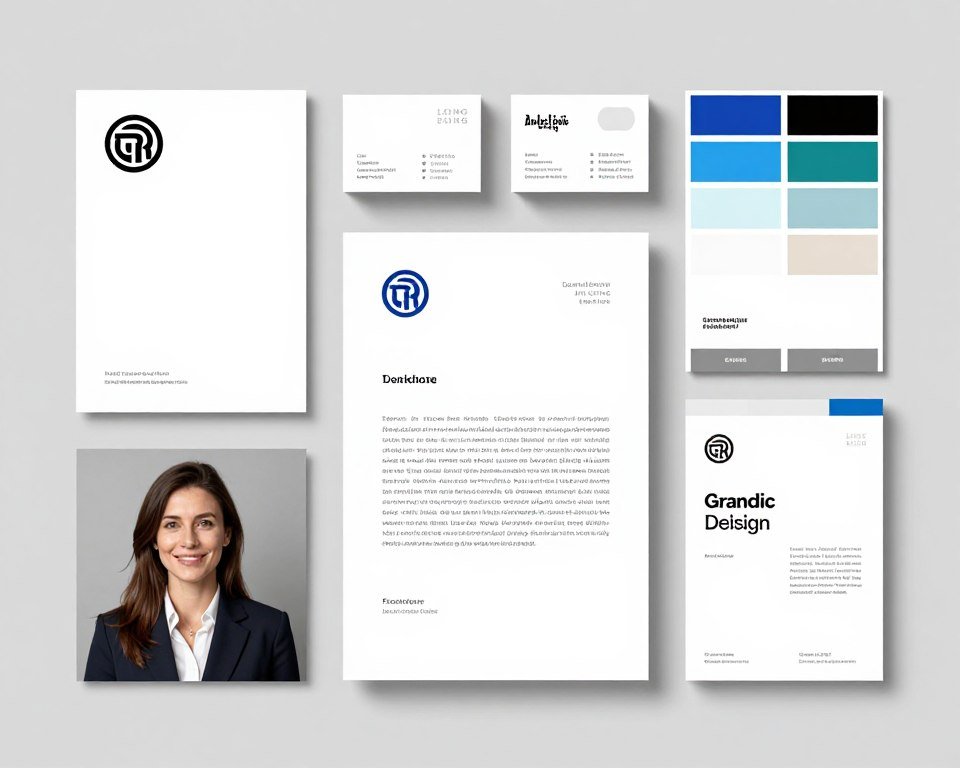
Your brand tells clients who you are before you say a word. It sets expectations. It attracts the right customers and repels the wrong ones.
Create your own logo first. Use the same process you’ll use for clients. This demonstrates your skills and gives you a portfolio piece immediately.
Choose a color palette that reflects your business personality. Blues suggest trust and professionalism. Bright colors show creativity and energy. Your choice depends on your target market.
Remember: Your brand should appeal to clients, not just to you. Research what your target audience responds to. Professional services companies prefer conservative designs. Creative startups want bold and innovative.
Creating Your Visual Identity
Typography communicates as much as colors do. Modern sans-serif fonts feel current and clean. Traditional serif fonts suggest experience and reliability. Mix fonts carefully for visual interest.
Design templates for everything you’ll use repeatedly. Email signatures, proposal covers, social media graphics. Templates save hours each week and maintain consistency.
Your website becomes your always-available salesperson. It should showcase your best work, explain your services clearly, and make contacting you effortless.
Must-Have Website Pages
- Homepage with clear value proposition
- Portfolio showcasing diverse projects
- Services page with pricing information
- About page building trust and connection
- Contact page with simple inquiry form
- Blog for SEO and demonstrating expertise
Build Your Portfolio Website Fast
Wix offers beautiful templates designed for creative professionals. No coding required. SEO tools built in. Start free and upgrade when ready.
Photography matters even for designers. Professional headshots build credibility. Behind-the-scenes photos humanize your brand. Invest in quality images or create them yourself.
Pricing Your Services Strategically
Pricing determines your income and the clients you attract. Price too low and you work constantly while barely surviving. Price too high and you scare away potential business.
Many new designers undercharge dramatically. They fear losing clients. But cheap pricing attracts difficult customers who don’t value your work.
Common Pricing Models
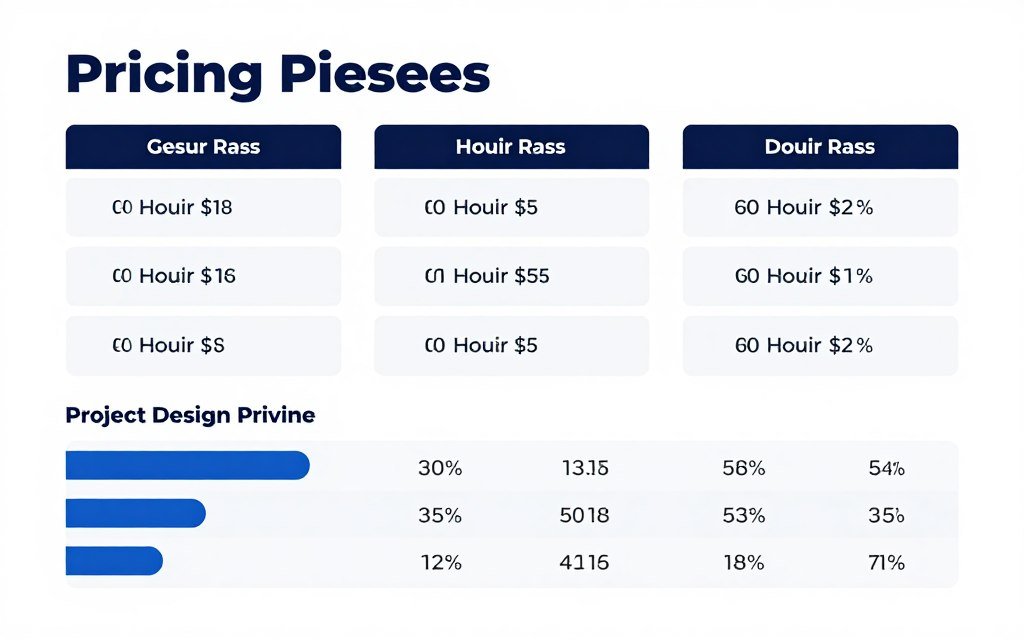
- Simple to calculate and explain
- Fair for unpredictable projects
- Clients may watch clock nervously
- Penalizes efficiency improvements
- Typical range: $50-150 per hour
Hourly Pricing
- Clients know exact cost upfront
- You profit from working efficiently
- Easier to sell and close deals
- Requires accurate time estimates
- Logo design: $500-2,500
- Full branding: $2,000-10,000
Project-Based Pricing
- Predictable monthly income
- Builds long-term relationships
- Clients get priority service
- Requires ongoing value delivery
- Social media: $1,000-5,000/month
- Full support: $3,000-15,000/month
Retainer Pricing
Research what competitors charge in your area. Check job boards and freelance platforms. Know the market rate before setting your prices.
Package your services intelligently. Create good, better, best options. Most clients choose the middle package. This strategy increases average order value.
Sample Service Packages
| Package | Services Included | Delivery Time | Price Range |
| Starter Brand | Logo design, business card, social media profile images | 5-7 business days | $800-1,500 |
| Professional Brand | Logo suite, business cards, letterhead, brand guidelines, social templates | 10-14 business days | $2,500-5,000 |
| Premium Brand | Complete brand identity, website design, marketing materials, brand strategy | 3-4 weeks | $7,500-15,000 |
| Social Media Monthly | 20 custom graphics, story templates, posting schedule | Ongoing monthly | $1,200-3,000 |
Don’t forget to factor in your costs. Software subscriptions, website hosting, and marketing expenses add up quickly. Your pricing must cover these plus provide profit.
Raise your rates regularly as you gain experience and skills. Annual increases of ten to fifteen percent are reasonable. Long-term clients may get legacy pricing as a loyalty benefit.
Finding Your First Clients

Landing your first few clients feels challenging. You lack portfolio pieces and testimonials. But everyone starts somewhere. These strategies work even for complete beginners.
Your existing network offers the easiest path to initial clients. Friends, family, and former colleagues need design work or know someone who does.
Proven Client Acquisition Strategies
- Reach out to your network with a personal message about your new business
- Offer a friends and family discount for your first five clients
- Join local business networking groups and chambers of commerce
- Create sample projects for industries you want to serve
- Post value-driven content on social media platforms regularly
- Answer questions in online communities where business owners hang out
- Partner with complementary service providers for referrals
Social media works differently for service businesses than products. Don’t just post your work. Share behind-the-scenes content, design tips, and business insights. Build relationships, not just followers.
LinkedIn proves especially valuable for B2B design services. Connect with local business owners. Comment thoughtfully on their posts. Offer genuine value without immediately selling.
Quick Win: Create a case study from each project, even small ones. Document the problem, your process, and the results. Case studies convert prospects better than portfolios alone.
Local Marketing Tactics
Local businesses provide steady work for design services. They need constant marketing materials and prefer working with nearby providers.
- Attend local business meetups and startup events
- Offer free design audits to local businesses
- Sponsor community events for brand visibility
- Create Google My Business listing for local searches
- Partner with marketing agencies who need design support
- Join local Facebook groups for business owners
Cold outreach works when done respectfully. Research businesses with outdated branding. Send personalized emails explaining specifically how you can help them. Include before-and-after mockups of their materials.
Freelance platforms like Upwork and Fiverr get mixed reviews. They’re competitive and take large commissions. But they provide practice and testimonials when starting out.
Delivering Exceptional Client Work
Great client work separates successful designers from struggling ones. Quality matters, but so does the entire client experience from first contact to final delivery.
Set clear expectations during every project. Define exactly what you’ll deliver, when you’ll deliver it, and how many revision rounds are included. Written agreements prevent misunderstandings.
The Client Onboarding Process
- Initial consultation to understand their needs and vision
- Send detailed proposal with scope, timeline, and pricing
- Collect deposit before starting work
- Gather all necessary materials and brand information
- Present initial concepts with strategic explanations
- Incorporate feedback through revision rounds
- Deliver final files in all requested formats
- Request testimonial and ask for referrals
Communication makes or breaks client relationships. Update clients regularly even when there’s nothing urgent to report. Silence creates anxiety and assumptions.
AI tools let you work faster than traditional methods. Use this advantage to exceed delivery expectations. Deliver two days early consistently and clients rave about you.
File Delivery Best Practices
Professional file delivery separates amateurs from pros. Organize everything clearly.
- Create organized folders by file type
- Include multiple file formats for flexibility
- Add a simple usage guide document
- Provide both RGB and CMYK versions
- Include vector source files when appropriate
Revision Management Tips
Revisions test your professionalism and patience. Handle them systematically.
- Limit revision rounds in initial agreement
- Ask for consolidated feedback in writing
- Explain design decisions when pushing back
- Charge for excessive revision requests
- Document all approved changes
Build relationships beyond transactions. Remember details about clients’ businesses and personal lives. Send birthday cards or congratulations on business milestones. Small gestures create loyalty.
Request testimonials immediately after successful projects. Clients are most enthusiastic right when they receive final files. Make it easy by drafting a testimonial they can edit and approve.
Scaling Your AI Design Agency

Growth happens naturally with quality work and smart marketing. But scaling requires intentional systems and processes. You can’t simply work more hours forever.
Automation handles repetitive tasks that drain your time. Schedule social media posts weeks in advance. Use email templates for common client communications. Let software handle invoicing and payment reminders.
Systems That Enable Growth
Document your processes for everything. Create checklists for client onboarding, design reviews, and project delivery. Systems let you delegate work later without quality dropping.
- Standard questionnaire for new client consultations
- Design brief template for every project type
- Revision request form to organize feedback
- File delivery checklist ensuring nothing gets missed
- Follow-up email sequence for completed projects
Track your time even with project-based pricing. You need data to price accurately and identify bottlenecks. Time tracking reveals which clients and projects are actually profitable.
Hiring your first team member feels scary. Start with contractors for overflow work. Virtual assistants can handle administrative tasks. This frees your time for design and client acquisition.
Common Mistake: Many designers hire too early or too late. Track your capacity carefully. When you’re consistently turning down work or missing deadlines, it’s time to expand.
Increasing Revenue Without More Hours
Raise prices as demand increases. If you’re booked solid for weeks, your prices are too low. Quality clients pay for expertise and results, not cheap rates.
Add passive income streams that complement your services. Sell design templates, create online courses, or develop presets for design tools. These products generate revenue while you sleep.
Template Marketplaces
Creative Market and Envato let you sell templates and design assets. Create once, sell repeatedly. Popular templates generate consistent passive income.
Online Course Platforms
Teachable and Skillshare pay instructors for educational content. Share your AI design expertise through structured courses. Build authority while earning.
Design Asset Subscriptions
Create subscription offerings with monthly design assets. Social media templates, brand resources, or industry-specific graphics. Recurring revenue stabilizes income.
Focus on client retention over constant acquisition. Keeping existing clients costs less than finding new ones. Monthly retainers provide predictable revenue and stronger relationships.
Managing Business Operations Efficiently
Creative work attracts most designers to the business. But administrative tasks determine whether you succeed or struggle. Strong operations separate professionals from hobbyists.
Financial management seems boring but matters critically. Know your numbers always. Track income, expenses, and profit margins monthly. QuickBooks or FreshBooks makes this manageable.
Essential Financial Practices
- Separate business and personal bank accounts
- Save thirty percent of income for taxes
- Invoice immediately upon project completion
- Follow up on overdue payments professionally
- Review financial reports monthly
- Set profit goals and track progress
Contracts protect both you and clients. Use them for every project regardless of size. A simple one-page agreement beats nothing. Specify deliverables, payment terms, and revision policies clearly.
Payment terms affect your cash flow dramatically. Require deposits before starting work. Popular structures include fifty percent upfront and fifty percent upon completion. Never deliver final files before receiving full payment.
Pro Tip: Accept multiple payment methods. Credit cards, PayPal, and bank transfers give clients flexibility. Services like Stripe make accepting online payments simple and professional.
Time Management for Designers
Creative work requires focused time blocks. Constant interruptions kill productivity and creativity. Schedule specific hours for design work with notifications turned off.
Batch similar tasks together. Answer all emails at once. Schedule all client calls on specific days. Process invoices weekly. Batching reduces mental switching costs significantly.
- Block morning hours for creative work when energy is highest
- Schedule client meetings on specific afternoons only
- Reserve one day weekly for administrative tasks
- Use project management tools to track all active work
- Set realistic deadlines accounting for revision time
- Build buffer time between projects for unexpected issues
Learn to say no strategically. Not every inquiry deserves a yes. Projects outside your expertise waste time and frustrate everyone. Refer mismatched clients to other designers and build reciprocal relationships.
Marketing Your Services for Consistent Growth
Marketing feels uncomfortable for many designers. But consistent marketing separates full pipelines from feast-or-famine cycles. You need systems that generate leads predictably.
Content marketing builds authority over time. Share your knowledge generously through blog posts, videos, or social media. Teach your target audience about design principles and business branding.
Effective Content Topics
- Common branding mistakes small businesses make
- How AI tools are changing graphic design work
- Behind-the-scenes looks at your design process
- Case studies showing real client transformations
- Industry-specific design tips and trends
- Answers to frequently asked client questions
SEO helps potential clients find you organically. Research keywords your ideal clients search for. Create helpful content answering their questions. Google rewards genuinely useful content.
Email marketing remains incredibly effective despite social media hype. Build an email list from day one. Share valuable insights, showcase recent work, and make special offers. Email subscribers convert better than social followers.
Build Your Email Marketing System
ConvertKit makes email marketing simple for creators. Grow your audience, send beautiful emails, and automate follow-ups. Free plan available for beginners.
Social Media Strategy
Focus on platforms where your ideal clients spend time. LinkedIn works for B2B services. Instagram suits visual portfolios. Facebook groups connect with local business owners.
Post consistently rather than perfectly. Three quality posts weekly beats daily rushed content. Share design work, client testimonials, design tips, and personality glimpses.
Instagram Content Mix
Visual platform perfect for showcasing design work and building brand personality.
- Portfolio pieces with project stories
- Before-and-after transformations
- Design tips in carousel format
- Behind-the-scenes work process
- Client testimonials as graphics
- Personal moments building connection
LinkedIn Content Strategy
Professional network ideal for B2B client acquisition and thought leadership.
- Business branding insights and trends
- Case studies with measurable results
- Industry commentary and opinions
- Professional milestone celebrations
- Helpful articles for business owners
- Engagement with potential client posts
Paid advertising accelerates growth when organic methods plateau. Start small with Facebook or Google ads. Target local business owners or specific industries you serve.
Track what works through analytics. Monitor which content generates inquiries. Double down on successful strategies. Abandon tactics that consume time without results.
Staying Current with AI Design Technology

AI technology evolves rapidly. Tools that dominated last year become outdated quickly. Continuous learning isn’t optional for AI designers. It’s essential for staying competitive.
Dedicate time weekly to exploring new tools and features. Most platforms update monthly with new capabilities. Fifteen minutes daily keeps you current without overwhelming your schedule.
Learning Resources Worth Your Time
- YouTube channels covering AI design tools and techniques
- Online communities like Reddit’s design subreddits
- Platform-specific Discord servers and forums
- Design blogs covering AI and technology trends
- Webinars from software companies announcing features
- Industry conferences focusing on design technology
Experiment with new tools before committing money. Most platforms offer free trials. Test them on personal projects. Evaluate whether they improve your workflow genuinely.
Join designer communities focused on AI tools. Share discoveries and learn from others’ experiments. Communities accelerate learning beyond what you’d discover alone.
Investment in Learning: Budget money and time for professional development. Online courses, conferences, and premium tool subscriptions pay for themselves through improved skills and efficiency.
Skills Beyond Software
AI tools handle technical execution brilliantly. But they can’t replace human creativity, strategy, and client relationships. Develop skills that complement your AI toolkit.
Strategic Thinking
Understanding business goals and translating them into visual solutions. Asking better questions. Seeing beyond what clients request to what they actually need.
Client Communication
Explaining design decisions persuasively. Managing expectations professionally. Building trust through reliability. These skills close deals and retain clients.
Brand Psychology
Learning how colors, shapes, and typography influence perception. Understanding target audience psychology. Creating designs that accomplish business objectives.
Stay curious about adjacent fields. Marketing, psychology, and business strategy all improve your design work. Broader knowledge creates more valuable client solutions.
Overcoming Common Challenges
Every business faces obstacles. Anticipating common challenges helps you navigate them successfully. Learn from others’ mistakes instead of making them all yourself.
Typical Struggles and Solutions
Dealing with Scope Creep
Clients requesting additional work beyond the original agreement happens constantly. Prevent it with detailed contracts specifying exactly what’s included. When extra requests come, politely reference the agreement and provide pricing for additions. Stay friendly but firm about boundaries.
Handling Difficult Client Feedback
Sometimes clients want changes that hurt the project. Ask questions to understand their reasoning. Explain your professional perspective respectfully. Offer alternative solutions meeting their goals better. If they insist, document their decision and proceed. You did your job professionally.
Managing Irregular Income
Freelance income fluctuates naturally. Build an emergency fund covering three to six months of expenses. Pursue retainer clients for predictable monthly revenue. Track your sales pipeline to anticipate slow periods. Market consistently, not just when desperate for work.
Avoiding Burnout
Working for yourself often means working too much. Set firm boundaries around work hours. Take regular breaks and actual vacations. Remember why you started this business. If it was freedom and flexibility, claim those benefits regularly. Your health enables everything else.
Standing Out in Competitive Markets
Many designers chase the same clients. Differentiate through specialization, exceptional service, or unique positioning. Develop a distinctive style or process. Focus on results and client success stories. Build genuine relationships instead of competing on price alone.
Imposter syndrome affects most creative entrepreneurs. You’ll question whether you’re good enough. Everyone feels this way sometimes. Keep improving your skills while serving clients excellently. Results prove your worth more than feelings.
Technology problems will happen. Software crashes during important presentations. Files corrupt before client deadlines. Always backup your work multiple ways. Build extra time into schedules for unexpected issues.
Your Path Forward in AI Graphic Design

Starting an AI graphic design business offers tremendous opportunity right now. The technology democratizes design tools. The market demand continues growing. Business owners need professional visual content constantly.
You don’t need perfect circumstances to begin. Start with one or two AI tools. Create sample projects showcasing your vision. Reach out to your existing network. Take imperfect action today rather than waiting for ideal conditions tomorrow.
Success comes from consistent effort over time. Build systems. Serve clients exceptionally. Market yourself regularly. Learn continuously. These fundamentals work regardless of market changes or new technology.
Remember: Every successful design business started exactly where you are now. Someone took the first scary step. They learned as they went. They improved through experience. You can absolutely do the same thing.
Your Action Plan for This Week
- Choose your primary AI design platform and start the free trial
- Create three sample projects for your target niche
- Design your basic brand identity and simple website
- Write a list of twenty people who might need design services
- Draft your service packages with clear pricing
- Send personalized messages to five potential clients
- Set up your business bank account and basic accounting
The world needs creative problem solvers who understand both design and technology. AI tools amplify your capabilities. Your creativity and strategic thinking guide them toward meaningful results.
Small business owners struggle with branding and marketing. They lack time and expertise. You offer the perfect solution. Professional quality through AI efficiency at accessible prices.
Ready to Start Your AI Design Business?
Begin with the essential tools that successful AI designers use. Canva Pro combines ease of use with powerful AI features. Perfect for building your client portfolio quickly.
Your unique perspective and experiences matter more than you realize. They shape how you solve design problems. They connect you with specific clients who resonate with your approach.
Start today with whatever resources you have available. Learn by doing. Improve through client feedback. Build momentum through small wins. Before you know it, you’ll look back amazed at how far you’ve come.
The future of graphic design belongs to creators who embrace AI as a creative partner. You’re positioned perfectly to thrive in this new era. Take the first step. Your design business awaits.
Navigating this platform feels incredibly smooth for players looking for a secure gaming environment. The interface runs beautifully on mobile and I appreciate how fast the transactions process. It is rare to find a site that balances premium aesthetics with genuine player first priorities like this.